
Version 5.00
- Before updating, save your settings and take screenshots of all setup and calibration data, including input and output assignments and invert status. See Save & Load Settings.
- All tool data on the F4 screen is erased. Re-enter it before using the machine.
- The mill linear tool changer has new logic. Reassign all its inputs and outputs and enter its calibration data in the F1 tool changer settings before using the machine.
What's new
Up to 5 heads on one machine: spindles, laser, plasma, oxy, waterjet and scribe. Different head types can be mounted together with automatic head offsets.
→ Multi-Head introductionSupport for the MASSO DTHC module for plasma torch height control.

- S command support in the new G200 plasma G-code, for thick material.
- Legacy plasma files without G200 still run: add
G200with no parameters at the start of the file, or enter it in MDI. - Support for external THC UP/DOWN signals and an external Arc OK signal (external THC or MASSO DTHC).

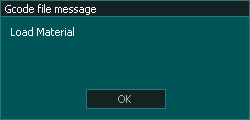
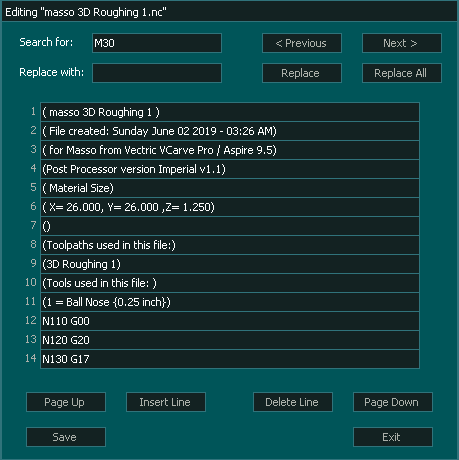
Edit G-code files of any size on the controller, with search and replace.
Sliders for feed rate and spindle RPM override while machining.

Buttons to take a screenshot and to lock the controller.

On-screen indicators show the current machine mode.

Probes points and saves them to a file, for surface mapping and auto-levelling.

Admin can stop users changing Wi-Fi settings, and can reset user passwords.

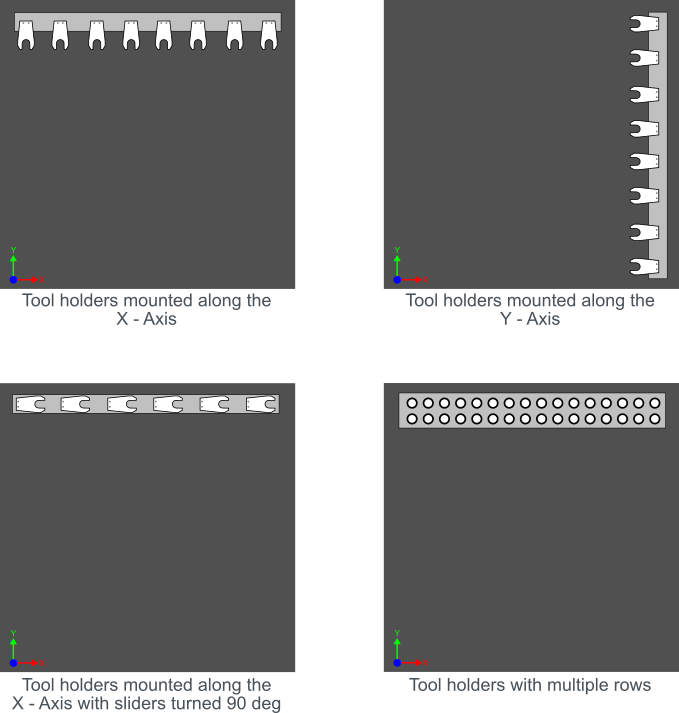
New logic for linear tool changers Type 1 and Type 2, with multiple layouts and rows and different tool holder options.
Improvements and fixes
Shows the G-code line that triggered a soft limit alarm.

The cursor moves to the start of each entry field for easier editing.
Automatically resumes the last cut.
During homing, the alarm message names the motor that raised the alarm.
More accurate backlash compensation, more reliable probing, and better lathe threading cycle behaviour.
MASSO could stop communicating with MASSO Link.
Errors when sending G-code files to the USB root folder.
Input signal inversion on digital signal output turrets.

