


 Spanish
  French
  German
  Simplified Chinese
 Tool Changer Settings
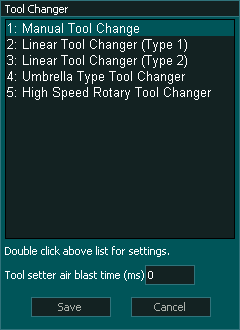
Tool Changer
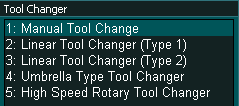
- Select the tool changer type that suits your machine.
- Some tools changers can have other options when double clicked that determine how the tool changer behaves.
- If double clicking a tool changer does not open a new settings window, there are no additional settings for that changer.
- For information on the various tool changer types and their settings please see the appropriate tool changer documentation
- Mill Tool changers
- Lathe Tool changers
Tool setter air blast time(ms)

- This setting determines how long the tool setter air blast output is set high.
- This is used to give a blast or air over the tool setter to clear it of swarf before the tool is measured.
- The time is measure in milliseconds
- The operation of the air blast is automatic and will occur after the new tool is picked up and before the new tool is measured.

