


 Spanish
  French
  German
  Simplified Chinese
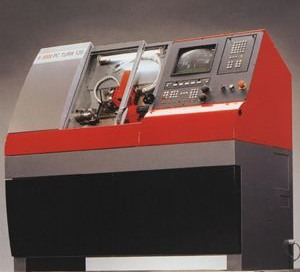
 EMCOturn 120
Setting up the tool changer
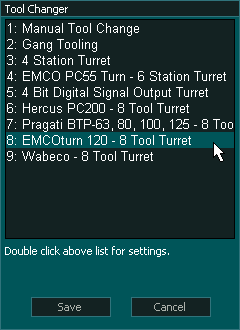
- Go to F1-Setup screen and open Tool Changer window.
- From the list select Press enter to open Tool Changer list and select the EMCOturn 120 from the list.
- There are no settings for this tool changer.
Tool changer logic
After all the axis of the machine has been homed as per the homing sequence the tool changer logic will read the encoder data from Turret to get the current tool in position.
If a valid tool number is received then the current tool number is updated on the controller else an ERROR message is displayed on the screen telling the user that the signals from Turret were not correct.
On a tool change request, MASSO will make the Tool Changer - Output 1 HIGH to turn the tool changer head clockwise till the desired tool has been loaded in position. Once the tool is in position the Tool Changer - Output 1 becomes LOW and Tool Changer - Output 2 goes HIGH to turn the tool changer head counterclockwise for 1000ms to lock the tool in position.
Syntax used in this document for Tool Changer inputs and outputs
"Tool Changer - Output 1" means Tool Change - 1 and it is an output
"Tool Changer - Input 1" means Tool Changer -1 and it is an Input
Note: Any tool changer input or output can be assigned to any Input or Output on MASSO. The tool changer number does not refer to an actual input or output port.
Output Signals
Input Signals
Wire the sensor inputs and assign to MASSO as below:
- Tool Changer - Input 1 for Turret signal-1
- Tool Changer - Input 2 for Turret signal-2
- Tool Changer - Input 3 for Turret signal-3
- Tool Changer - Input 4 for Turret signal-4
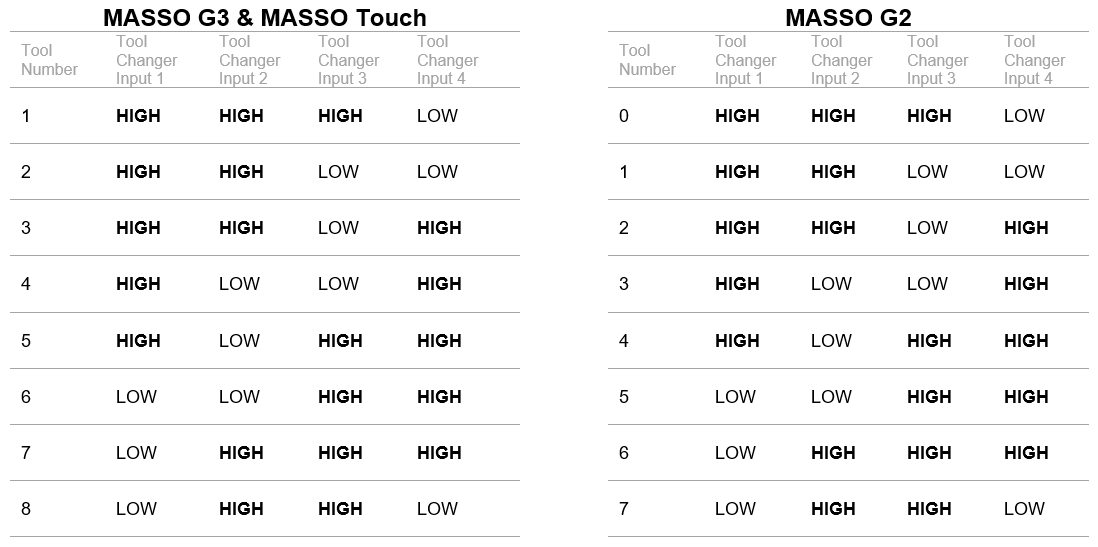
Input Signal Sequence Chart
The below chart shows the signal sequence as per EMCO documentation. Check that your tool turret provides the signals as shown below to work properly with MASSO.
INFORMATION: Depending on what software version you are using in your machine will determine the tool numbering on your tool changer. Please see the section on Tool Numbering at the bottom of this page for more information.
Output Signals
Wire the turrets control electronics CW and CCW signals on any free outputs on MASSO and in the OUTPUTS list assign them to the CW signal to Tool Changer - Output 1 and CCW signal to Tool Changer - Output 2.

