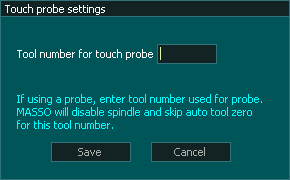
This setting defines the touch probe tool number and can be any number of your choosing from 1 to 100
The tool number assigned here will disable the spindle and the Auto Tool zero from measuring the tool length when this tool is loaded.
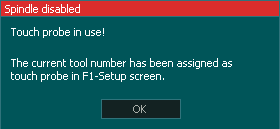
If a spindle start M03 or M04 is given the following message will be seen on screen and the spindle will not start. This is to prevent damage to the touch probe.
For additional information please see: >> Touch Probe


 Spanish
  French
  German
  Simplified Chinese