


 Spanish
  French
  German
  Simplified Chinese
 5 Axis Machining
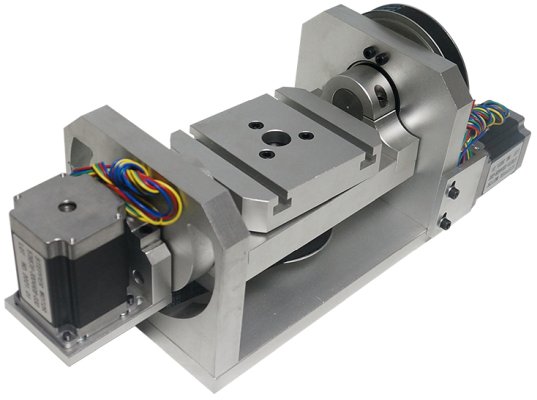
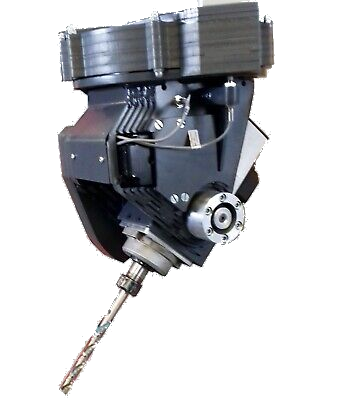
Machining strategies.
There are 2 machining strategies you can use with for 5 axis machining, continuous 5 axis machining and 3+2 axis machining.
MASSO can be used for machining using either strategy.
Continuous 5 axis machining
This is where all 5 axis move simultaneously under Gcode control to machine the part.
Example
N10 G1 X10 Y25 Z1.7 A48 B174
N20 G1 X12 Y25 Z2 A50 B174
In this example it will move all axis to the specified locations with all axis will arrive simultaneously and create a curved surface.
3+2 Machining
This is where the material is rotated into position using the A & B axis and are locked in place while 3 axis machining using the X,Y & Z axes machining is performed before rotation to a new position where it is again locked in position and more machining is performed.
Example
N10 G1 A48 B174
N20 G1 X10 Y25 Z1.7
N30 G1 A50 B174
N30 G1 X12 Y25 Z2
While this Gcode looks similar to the previous example it will produce a very different result.
Kinematics
The MASSO controller does not include TCP, (Tool Center Point) also known as RTCP, (Rotated Tool Center Point) and TCPC, (Tool Center Point Control)
MASSO does not do any kinematics.
All axis motion and machine kinematics must be done in CAM. If your tool length changes from the specified tool length in your Gcode program then the toolpaths need to be recalculated in CAM and a new Gcode file must be loaded into MASSO before machining starts.
Tool Length
Depending on the type of 5 axis machine you have the tool length needs to be measured from different points.
In a machine that pivots at the head the tool length is measured from the point of rotation. To get accurate machining the tool length from this rotation point must be the length specified in the Gcode file or it will not machine correctly. The machine operator needs to manually set to tool to the correct length for the job being machined. A jig would be the easiest way to manage this or use pre-measured tools in collets.
A, B & C axis
At present does not have a C axis but uses the A & B axis for angular movement only.
The ability to rename either the A or B axis as the C axis is currently in development and will become available in a future update.
If you have a C axis you need to rename the C axis to either the A or B axis in you Gcode Post processor.
The ability to rename either the A or B axis as the C axis is currently in alpha testing and will be released as a beta release in the near future.
Toolpath display
The MASSO screen shows only the X & Y axis looking down from above.
The display cannot be rotated to get views of the toolpaths from different angles.
An example of an older MASSO G2 being used for 5 axis continuous machining can be seen here: 5 axis continuous machining
For information on how he built his machine and how he uses it please watch his 4 part series on the machine build.

